
Make a marriage biodata on your phone
Many people search for an app because they want to finish a biodata on a phone. You can do that in a browser too. This page explains the choice, shows the steps and lists what to check before you install any app. For what to write in each field, read our guide on how to write a biodata for marriage.
Written and edited by Baliram Giri, Founder, Biodata99 · Last updated
Key takeaways
- Biodata99 is a website, not a store app. You open it in your browser and install nothing.
- You choose a template, add your details and download a PDF, JPG or PNG.
- Before you install any biodata app, check permissions, ads, price, privacy, reviews and source.
- You can add a shortcut to your home screen. It is a shortcut, not an installed app.
Which kind of biodata app do you need?
A marriage biodata maker app is a tool that turns your details into a finished biodata file. It can be an app from a store or a website that opens in your browser. Both give you a template, a form and a PDF or image to share. The difference is the install, not the biodata.
Most families need one thing. They need a clean one-page biodata that they can send on WhatsApp today. A browser maker does that without a download. A store app can also do it, but you must trust the app first. The next sections help you choose.
Not sure which to pick? Use these three quick tests. If your signal is weak, write your facts in a note first and fill the form in one go. If you plan to print, choose the PDF. If you plan to send on WhatsApp, choose the JPG or PNG. So the real choice is less about the app and more about how you will share the file.
If you are new to the word, read what a biodata is in our Hindi guide biodata kya hota hai. If you want Hindi steps for a phone, see biodata kaise banaye. Searching for a biodata banane ka app? The maker on this page works in Hindi too.
Make your biodata on a phone in 4 steps
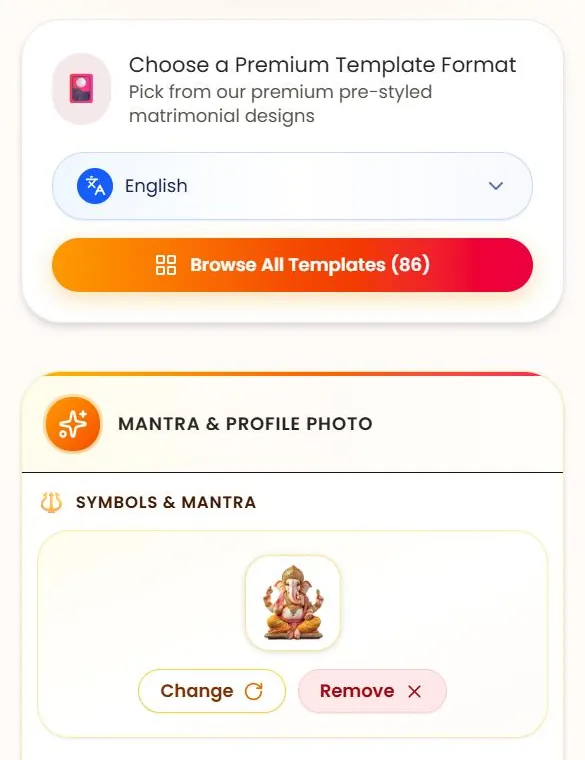
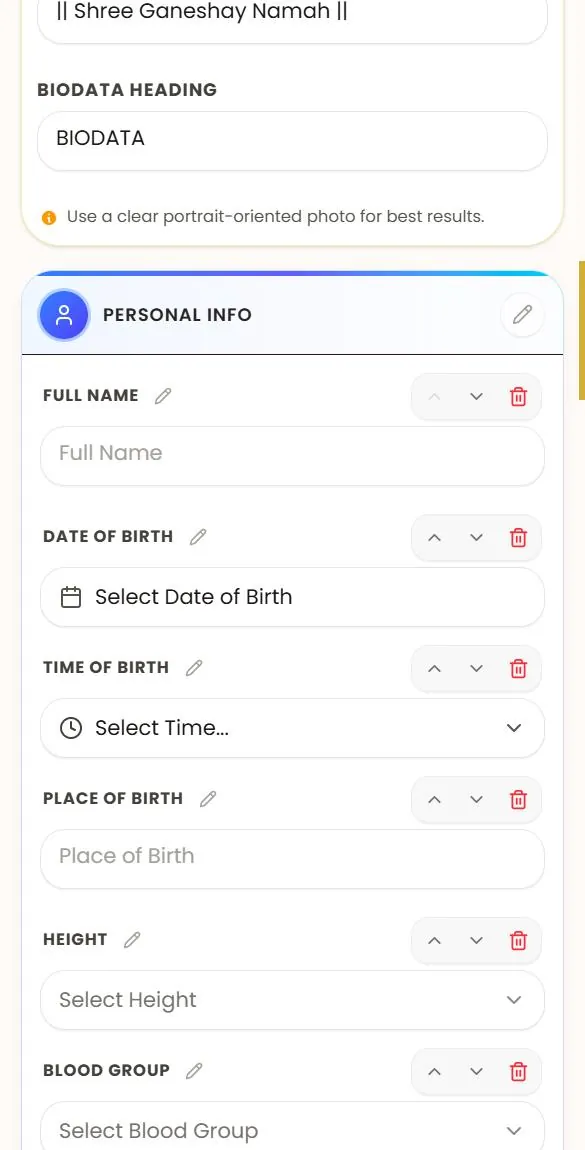
We opened our own maker on a 390 px wide phone-sized screen on 23 November 2026 and took the screenshots below. In our test, the language list and the Browse All Templates button were the first controls in the editor, so you can start without hunting for them. First, keep your facts ready: dates, degrees, job details, family names and one phone number.
- Choose a language and a template. Tap Browse All Templates and pick a design. Then select your language from the list.
- Add your photo and mantra. Upload a clear portrait photo. Keep or change the symbol at the top.
- Fill in your details. Type your personal, education, family and contact details. You can move a field up or down, rename it or delete it.
- Check the preview and download. Read the live preview once. Then download a PDF, JPG or PNG and share it.
Ready to start? Open the maker above, or go to the online biodata maker home page. To see how the whole flow works, read how Biodata99 works.
Biodata app or website: how they differ
This table shows the usual differences between a store app and a browser maker. Apps vary, so use it as a guide, not a rule.
| Point | Store app | Browser maker |
|---|---|---|
| Install | Download from a store, then open. | Open the page in your browser. |
| Storage on your phone | Uses space for the app and its data. | Uses almost none. |
| Updates | You update the app. | You always open the latest version. |
| Permissions | Asks for access you should read first. | Asks only for the photo you choose. |
| Works on a laptop | Often no. | Yes, same page. |
| Sharing | Save, then share from the gallery. | Download, then share from your phone or laptop. |
However, a browser maker needs an internet connection while you edit. A store app may work offline. So if you often have a weak signal, write your facts in a note first, then fill in the form in one go.
What to check before you install any biodata app
Your biodata has your family names, job and phone number. So treat the tool with care. Run these six checks on any app, including ours.
Permissions
A biodata app needs a photo you pick. It does not need your contacts, call log or location. Say no to anything that does not fit.
Ads and watermarks
Check a sample before you invest time. Some apps add a logo or an ad bar to the file you export.
Price
Find out what the download costs before you type 40 fields. See the price first, then decide.
Privacy
Your biodata has your family, job and phone number. Read what the app says it does with that data.
Reviews
Read a few recent reviews, not only the average. Look for words like crash, watermark and payment.
Source
Use a store listing or a website you can trace to a real business with a contact page. Avoid files from unknown links.
Be careful with files called mod or cracked. They are changed copies shared outside the official store. They can hide ads or steal data. On Android, however, you have two built-in helps. Google Play Protect scans apps for harm. The Data safety section in Google Play Help explains how a store listing shows what data an app collects.
What if an app takes your money or misuses your photo? Then report it on the National Cyber Crime Reporting Portal run by the Government of India (source: cybercrime.gov.in). Also keep a screenshot of the page and the payment message.
Add a shortcut to your phone's home screen
You can keep the maker one tap away. On Android, open the page in Chrome, open the menu and choose Add to Home screen. Chrome explains this in its guide to website shortcuts in Chrome. On iPhone, open the page in Safari, tap Share and choose Add to Home Screen, as Apple shows in its Safari guide for iPhone.
This makes a shortcut to the website. It is not an installed app, and it needs an internet connection. We do not have a store app today, so if a site says it is the official Biodata99 app, be careful.
What to put in a biodata you make on your phone
A phone makes it easy to type fast and skip the thinking. Slow down on four parts. For example, write "B.Com, Pune University, 2019" in one line, not three. Likewise, write "Accountant, Pune, 4 years" for your job. Also give your full name and date of birth. Add height, education and your job in one line each. List your parents and siblings. End with one phone number and your city, not your full address.
Your photo matters as much as the text. Use a clear, recent portrait with plain light. Our guide on the photo for marriage biodata shows what works. If you want to see the full list of fields, open the matrimonial biodata format.
Pick your language and template on a phone
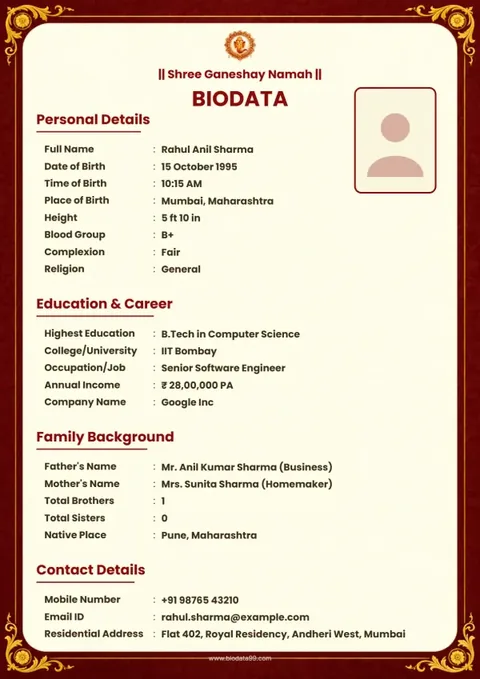
Choose the language first, because the template labels change with it. Then browse the designs. The biodata templates page shows all 86 on a larger screen. These three suit most families.
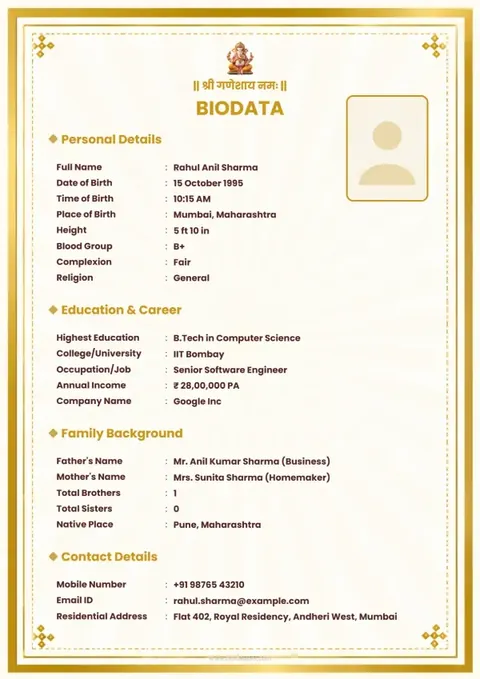
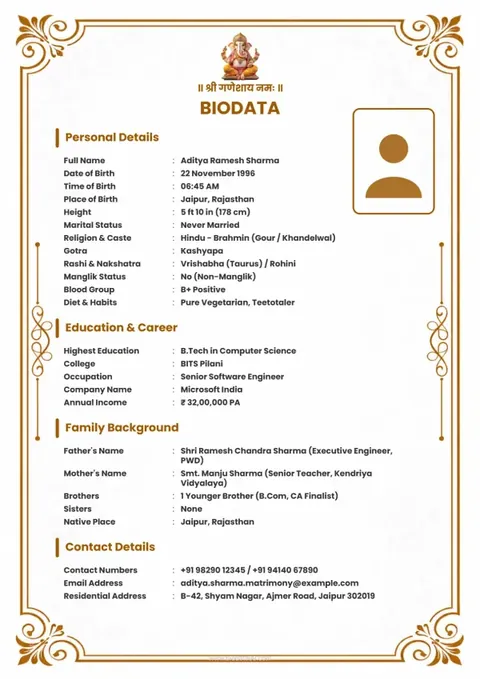
For local wording and samples, open the page for your community.
Biodata for a boy or a girl
The maker has the same flow for both. For a groom, lead with education and career. See the boy marriage biodata format. For a bride, show education, interests and family values. Read the biodata format for marriage for girl guide. Prefer a shorter resume style? See the marriage resume format.
Common phone problems and quick fixes
The photo is too big or sideways
Pick a clear portrait photo from your gallery. If it will not load, crop it on your phone and try again.
Some text is cut off
Shorten long lines. One line each for height, job and city works best on an A4 page.
The PDF will not open
Update your phone's PDF viewer, or open the file in Chrome. Then save it to your Files or Drive.
The page is slow
Move to a stronger Wi-Fi or mobile signal. Close other tabs. Your details stay on the page while it loads.
You want to change one line later
Open the maker again and edit that field. Then download a fresh copy.
What people search for when they want a biodata app
We checked India search demand in November 2026, using Semrush, to decide what this page must answer. Most people type a short phrase like biodata app first. Then they ask how to do it on a mobile.
| Search in India | Searches per month | Where this page answers it |
|---|---|---|
| biodata app | 12,100 | The whole page. |
| marriage biodata maker app | 5,400 | Hero, maker and steps. |
| how to make biodata in mobile | 1,900 | Phone steps and fixes. |
| biodata maker app | 880 | App or website table. |
| biodata app for marriage | 720 | Which kind do you need. |
| marriage biodata app | 480 | Checklist before you install. |
| biodata making app | 320 | Four steps. |
| biodata banane ka app | 140 | FAQ. |
Method: we read monthly volumes for India in Semrush in November 2026, for eight search phrases. They are rounded estimates, not exact counts, and other tools show lower numbers for the longer phrases.

How this page was put together (editorial note)
Written and edited by Baliram Giri. The phone screenshots were taken from the Biodata99 maker at a 390 px wide screen on 23 November 2026. The checklist and shortcut steps follow the Google and Apple help pages linked above. We compared our wording with how store apps usually work, and we name none of them.